Owners
Jobs, money in and money owed, and what needs attention today.
EverittOS
On Pro and Business, customers see a preliminary price and choose a time on your website. You approve the quote, they accept it, and the job lands on your schedule with crew updates, photos and payments in one place.
Free plan, no card needed. On the web, iPhone and Android.

Why EverittOS
The customer calls. You send a quote. Someone needs the address, the crew needs instructions and the invoice still needs paying. Keep those details with the job, where your team can find them.
What you can do
All your customer details and job history in one place.
Plan jobs, assign your crew and stay on schedule.
Send quotes, create invoices and track payments.
Keep job photos organized and share PDF reports.
Clients check progress. Workers see their assigned jobs.
Send payment reminders and customer replies when you’re ready.
Inside the app
These are the screens owners, crews and customers use every day, shown here with a sample cleaning business.
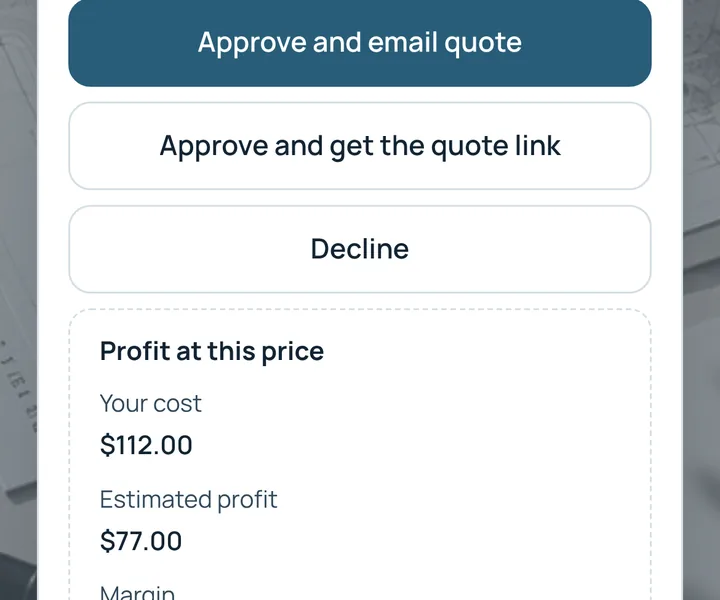
See the date, address and assigned worker for each job, with what the customer pays, what the worker earns and what you keep.

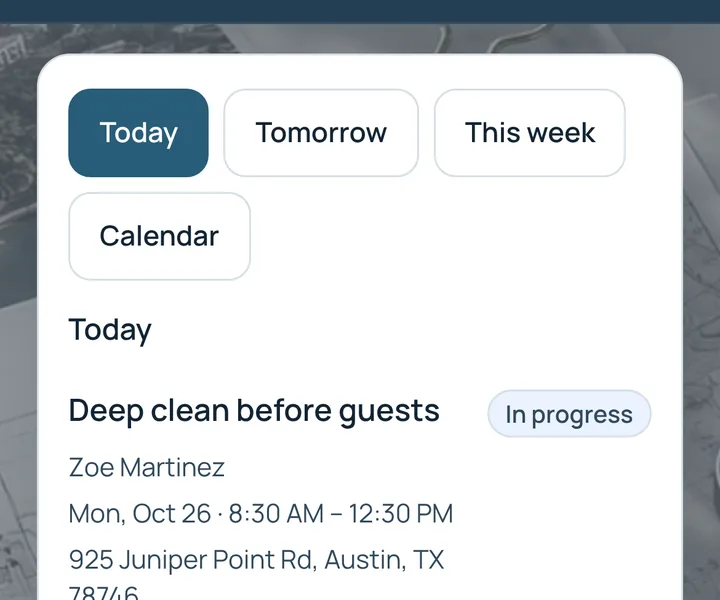
Start with today, look ahead to tomorrow and the week, and catch jobs that still need a date.

Customers book a time on your booking page. Approve or decline requests, assign staff and send reminders.

Money collected this month, open invoice balances and a receipt for every payment.

Workers see only their own jobs, addresses and pay. Customers see only their own visits, balances and receipts.
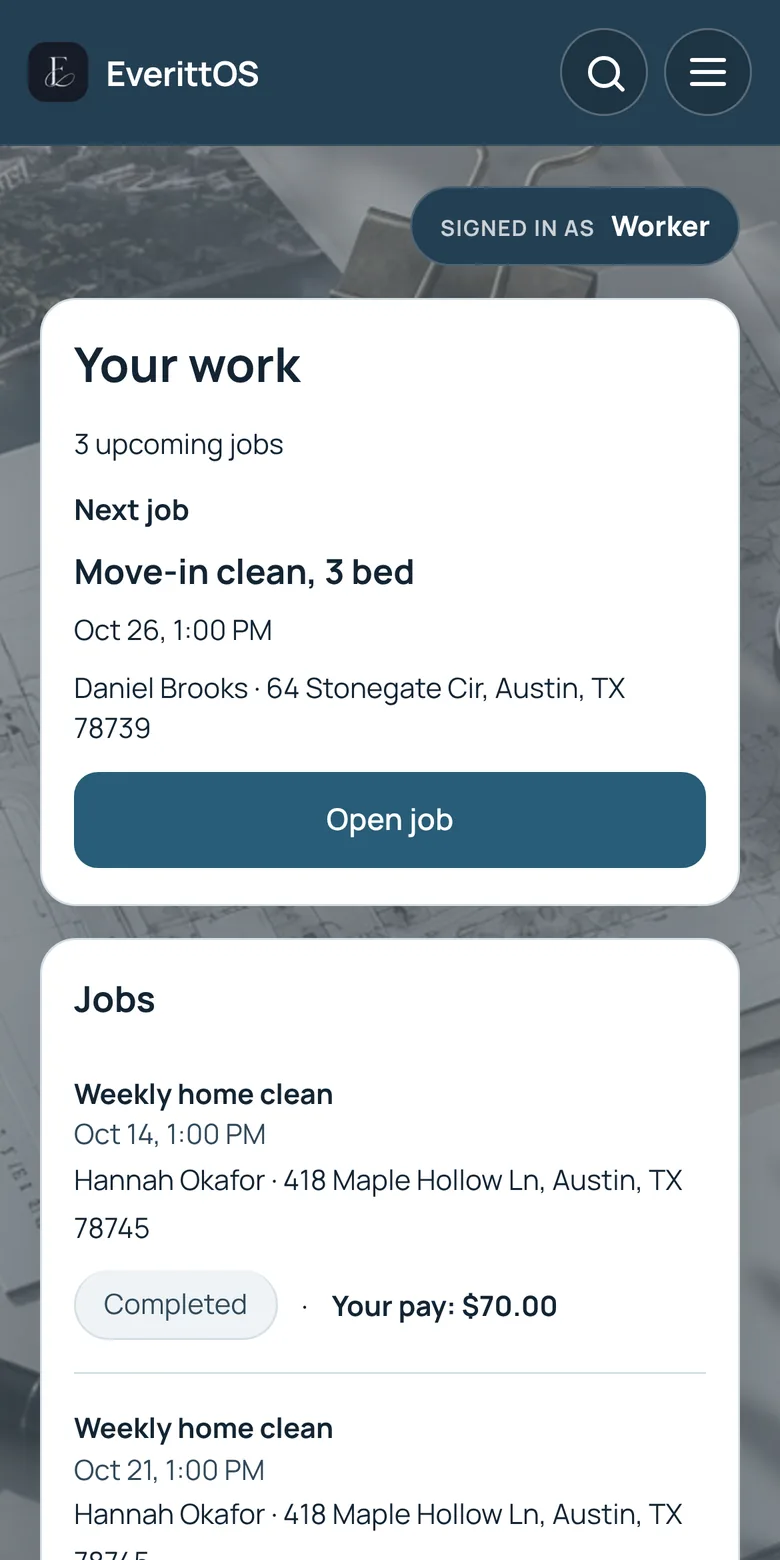
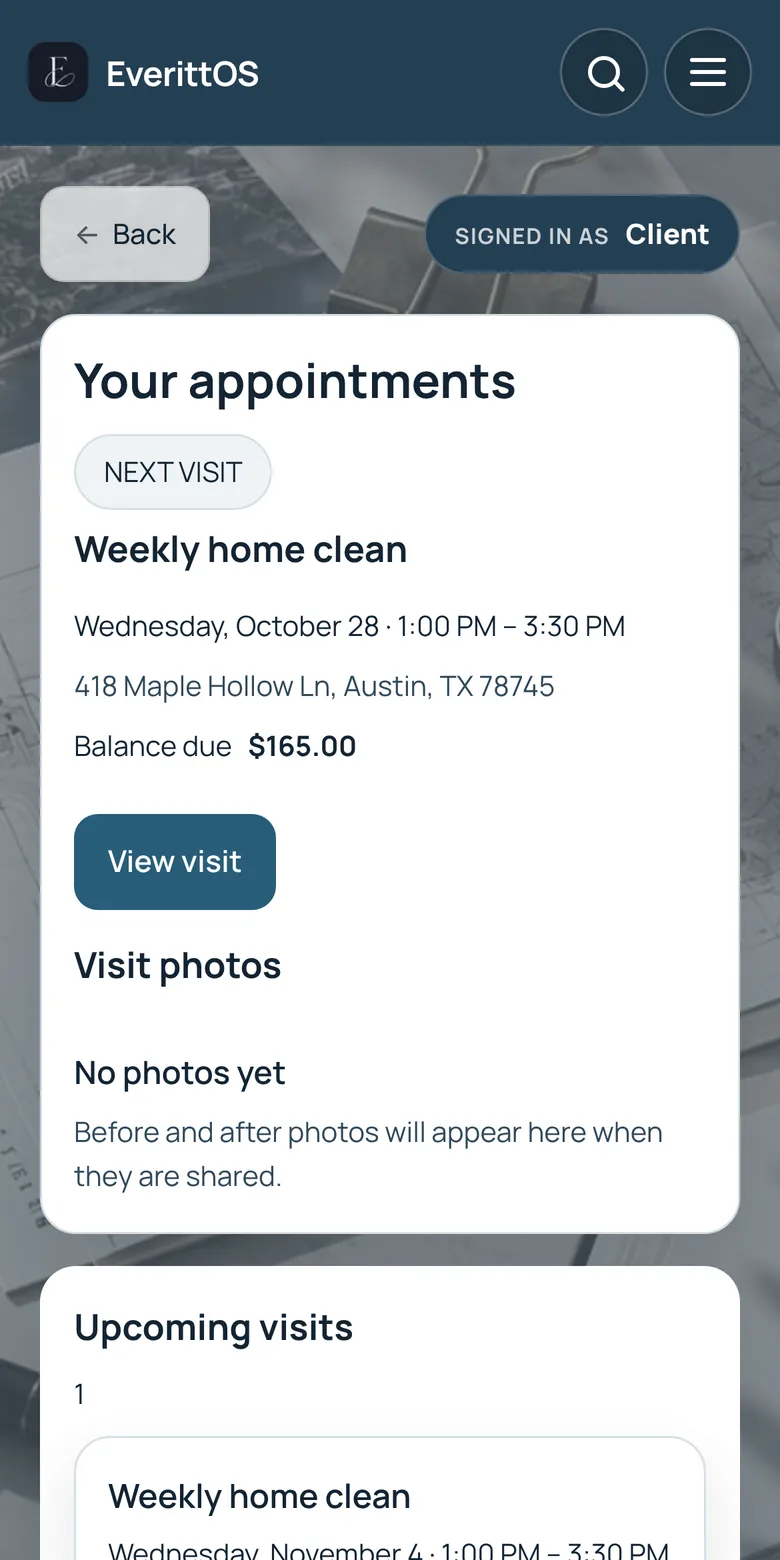
Real EverittOS screens from a demo account. The business, customers, addresses and amounts shown are fictional.
How it works
From the customer’s first request to the finished job, follow the details without switching between texts, spreadsheets and separate records.
A customer requests a service. The owner can review the details and prepare a quote.
The owner prepares the quote, confirms the work, chooses a date and assigns the job to a crew.
The assigned worker opens EverittOS to find the address, schedule, job notes and instructions.
The crew adds before-and-after photos and records progress or completion using permitted actions.
The owner reviews the completed job, prepares the invoice and tracks payment status.
Free is for one owner working alone, with job photos, quotes, invoices and payments. Assigning jobs to a crew, the worker view and before-and-after photos come with Pro and Business.
Proof of work
Attach before and after photos to each job so clients see exactly what was done, and you have a record if questions come up later.


In the office or on the job
Jobs, money in and money owed, and what needs attention today.
Today's jobs, addresses, notes and photos on their phone.
Their bookings, job updates and reports in one link.
Available in English, Spanish and Vietnamese.
Works with your AI assistant
Your jobs, customers, schedule and history stay in EverittOS. With Pro or Business, you can give Claude, ChatGPT, Grok or another assistant a read-only key, so it can summarize your day and point out jobs without a worker and quotes waiting on a reply.
A read-only key can look at your records. It cannot send messages, book, charge or delete anything.
Ask what is on tomorrow, which jobs still need a worker and which quotes have not been accepted.
Suggestions link back to EverittOS, where you decide and act. Revoke a key at any time.
Setup today: create a read-only key in Settings > API and add it to your assistant.
Free cleaning price calculator
Enter the home and your own costs. The calculator estimates the time on site and a price that covers labor, supplies and the profit you want.
Enter numbers in every field. The profit margin must be under 100%.
The calculator runs in your browser and saves nothing. Your email is sent only if you tick the box below.
Want customers to get a price like this on your own website? Instant Quote, included with Pro, prices each request from your settings and waits for your review before anything is booked.
Choose Pro Try live demoPlans
$0/month
The basics for one person getting started.
$10/month
Manage more jobs and crews, with bookings and Instant Quote.
Everything shown for Pro, plus lead tools: a public business page with quote requests, referral links and lead reports.
$39/month
Tools to capture and manage customer inquiries.
Prices in USD. Paid plans renew monthly until canceled. Screens show demo data.
Not sure yet? Explore a sample cleaning business as the owner, a worker or a customer. No signup.
Try live demoQuestions
Contractors, cleaning and property service teams, and other businesses that send people out to do jobs.
Yes. The Free plan costs $0 and needs no card. Upgrade to Pro or Business when you need more.
Yes. EverittOS works in any browser and has apps for iPhone and Android.
Yes. Clients can open their own portal to see bookings, job updates and reports. They never see your other customers.
Create a free account, add your first customer and schedule a job.